
Public Servers
RobustMQ provides public test servers for both MQTT and mq9 — use them directly for testing and development without any local deployment.
MQTT Public Server
Server Information
Endpoints
| Protocol | Address | Port | Description |
|---|---|---|---|
| MQTT TCP | 117.72.92.117 | 1883 | Standard MQTT connection |
| MQTT SSL/TLS | 117.72.92.117 | 1885 | Encrypted MQTT connection |
| MQTT WebSocket | 117.72.92.117 | 8083 | WebSocket connection |
| MQTT WebSocket SSL | 117.72.92.117 | 8085 | Encrypted WebSocket connection |
| MQTT QUIC | 117.72.92.117 | 9083 | QUIC protocol connection |
Authentication
- Username:
admin - Password:
robustmq
Management Interface
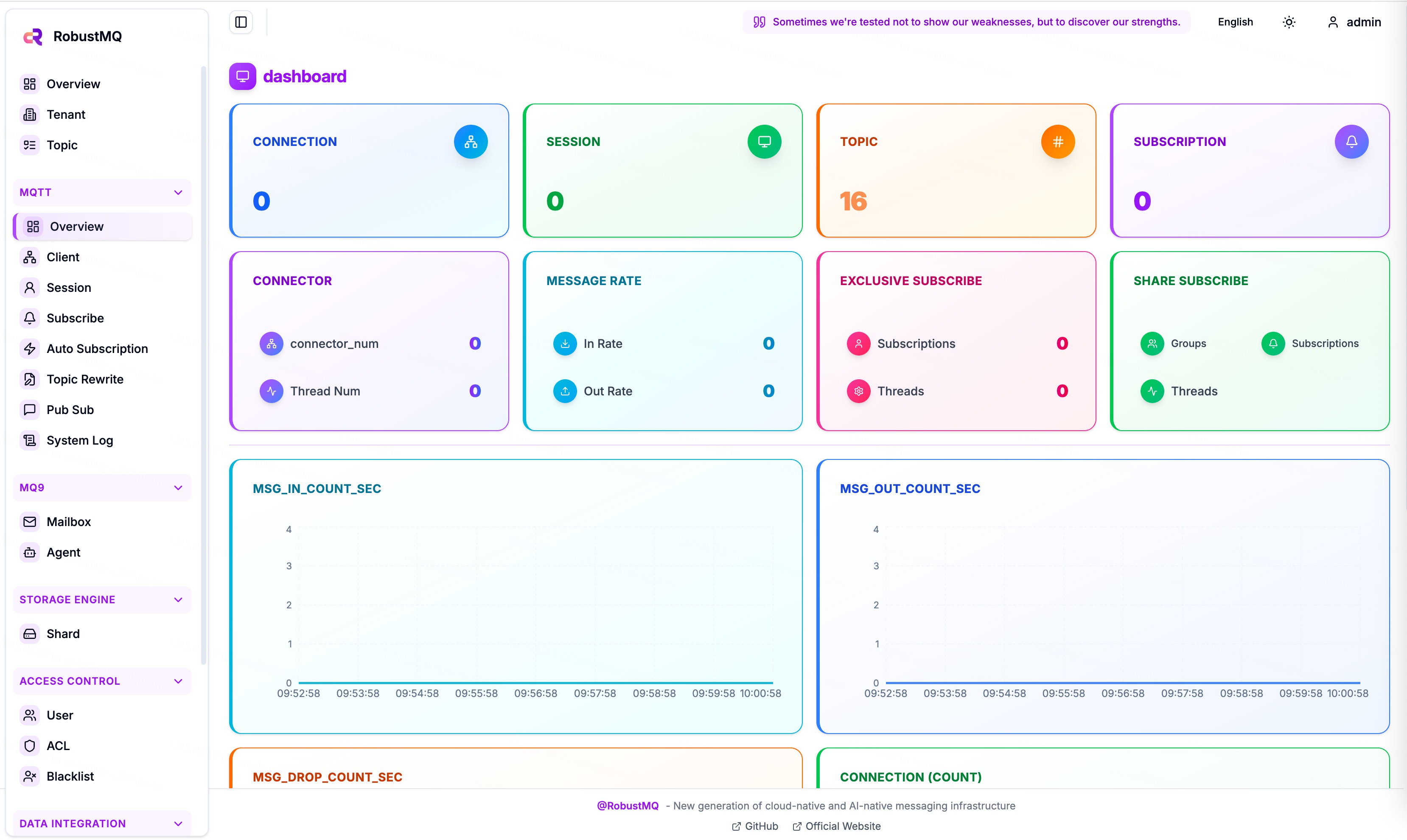
- Dashboard: http://demo.robustmq.com/
Quick Experience
📦 MQTTX Installation: If you haven't installed MQTTX CLI yet, please refer to our MQTTX Installation Guide for detailed installation instructions on different platforms.
Using MQTTX Command Line Tool
1. Send Messages
bash
# Send simple message
mqttx pub -h 117.72.92.117 -p 1883 -u admin -P robustmq -t "test/topic" -m "Hello RobustMQ!"

# Send QoS 1 message
mqttx pub -h 117.72.92.117 -p 1883 -u admin -P robustmq -t "test/qos1" -m "QoS 1 message" -q 1

# Send retained message
mqttx pub -h 117.72.92.117 -p 1883 -u admin -P robustmq -t "test/retained" -m "Retained message" -r

# Send JSON format message
mqttx pub -h 117.72.92.117 -p 1883 -u admin -P robustmq -t "sensors/temperature" -m '{"value": 25.5, "unit": "celsius"}'
2. Subscribe to Messages
bash
# Subscribe to single topic
mqttx sub -h 117.72.92.117 -p 1883 -u admin -P robustmq -t "test/topic"

# Subscribe to wildcard topics
mqttx sub -h 117.72.92.117 -p 1883 -u admin -P robustmq -t "test/+"  # Single-level wildcard
mqttx sub -h 117.72.92.117 -p 1883 -u admin -P robustmq -t "test/#"  # Multi-level wildcard

# Subscribe and display detailed information
mqttx sub -h 117.72.92.117 -p 1883 -u admin -P robustmq -t "test/topic" --verbose
3. Performance Testing
bash
# Publish performance test
mqttx bench pub -h 117.72.92.117 -p 1883 -u admin -P robustmq -t "test/bench" -c 10 -C 100

# Subscribe performance test
mqttx bench sub -h 117.72.92.117 -p 1883 -u admin -P robustmq -t "test/bench" -c 50
Using MQTTX GUI Client
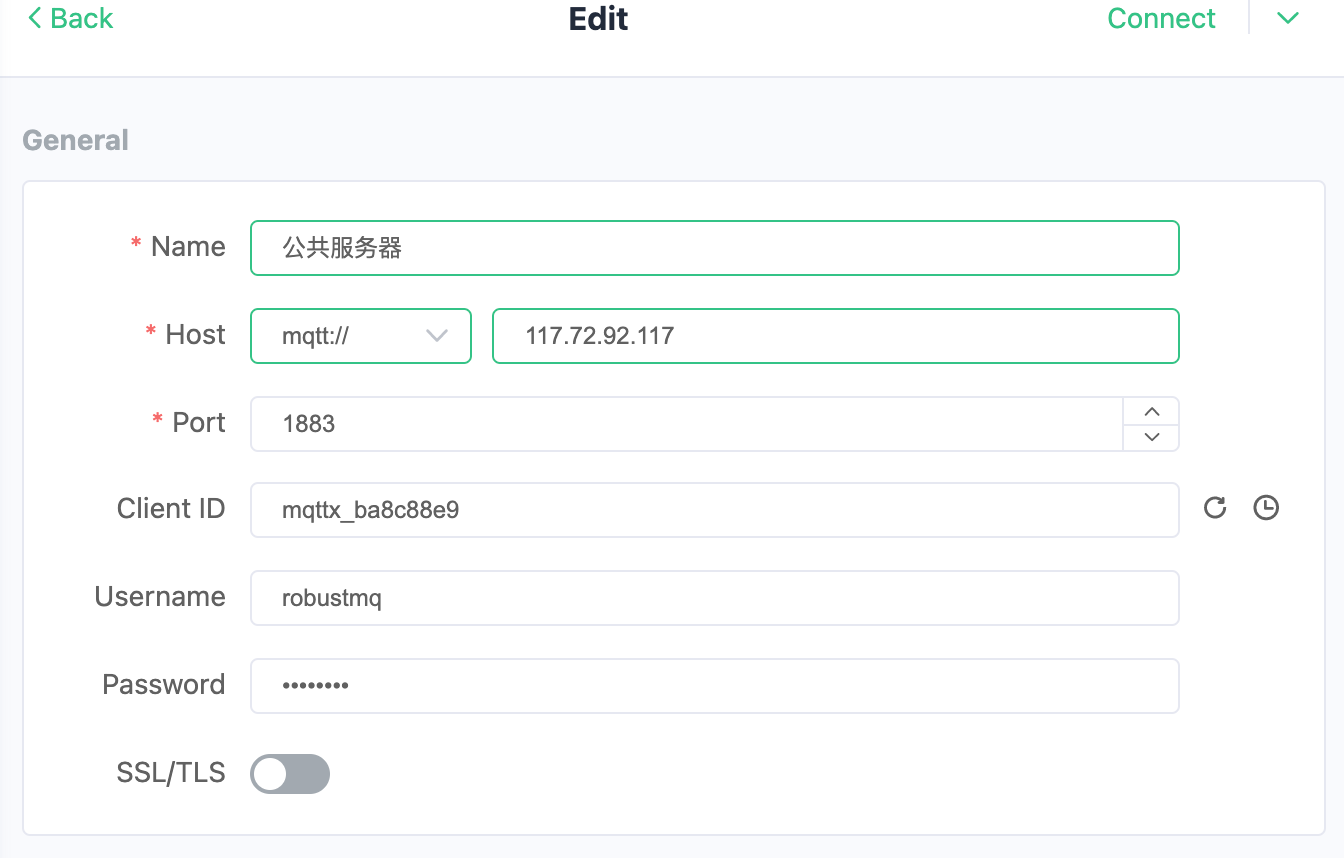
1. Connection Configuration
- Host: 117.72.92.117
- Port: 1883
- Username: admin
- Password: robustmq
- Client ID: Custom
2. Publish and Subscribe
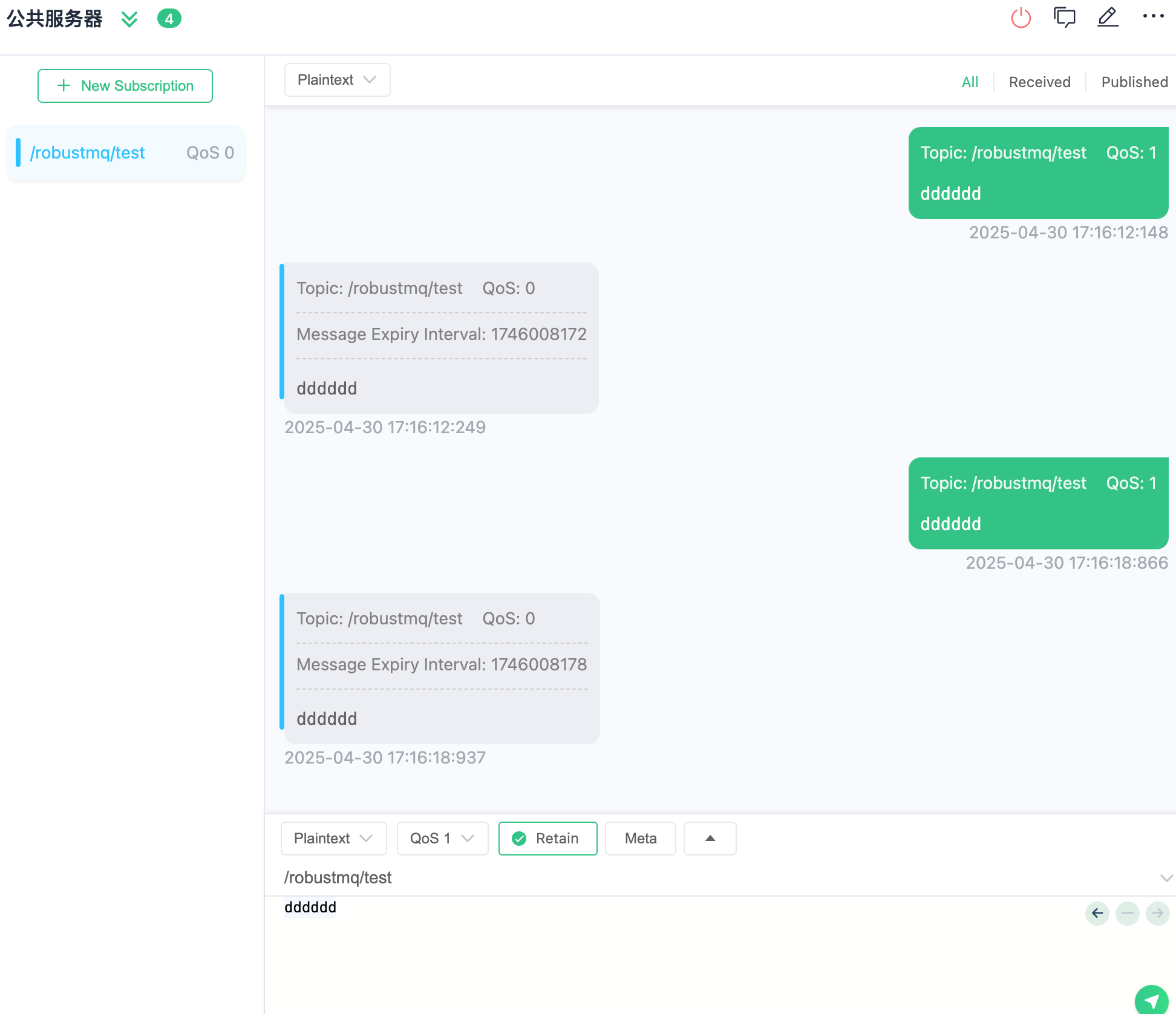
After connecting successfully, you can:
- Create subscriptions to receive messages
- Publish messages to specified topics
- View real-time message flow
Complete Example
Step 1: Subscribe
bash
# Terminal 1: Subscribe to temperature sensor data
mqttx sub -h 117.72.92.117 -p 1883 -u admin -P robustmq -t "sensors/temperature" --verbose
Step 2: Publish
bash
# Terminal 2: Send temperature data
mqttx pub -h 117.72.92.117 -p 1883 -u admin -P robustmq -t "sensors/temperature" -m '{"sensor": "temp-001", "value": 23.5, "unit": "celsius", "timestamp": "2024-01-01T12:00:00Z"}'
Step 3: View Dashboard
Visit http://117.72.92.117:3000/ to view real-time connections and message statistics.
Important Notes
- Public Server Limitations: This is a public server for testing purposes, do not use in production environments
- Message Retention: Messages are not permanently retained, please process them promptly
- Connection Limits: Please use reasonably to avoid excessive resource consumption
- Security Reminder: Do not transmit sensitive information in messages
Supported Protocol Features
- ✅ MQTT 3.1.1
- ✅ MQTT 5.0
- ✅ QoS 0, 1, 2
- ✅ Retained Messages
- ✅ Will Messages
- ✅ Topic Wildcards
- ✅ SSL/TLS Encryption
- ✅ WebSocket Support
- ✅ QUIC Protocol Support
mq9 Public Server
mq9 Endpoint
| Parameter | Value |
|---|---|
| NATS address | nats://117.72.92.117:4222 |
| Protocol | NATS (mq9 is built on top of NATS) |
This is a shared environment. Anyone who knows the subject name can subscribe — do not send sensitive data.
mq9 Quick Experience
Install the NATS CLI:
bash
# macOS
brew install nats-io/nats-tools/nats

# Other platforms: https://docs.nats.io/using-nats/nats-tools/nats_cli
Set the server address:
bash
export NATS_URL=nats://117.72.92.117:4222mq9 Create a Mailbox
bash
nats req '$mq9.AI.MAILBOX.CREATE' '{"ttl":3600}'
# → {"mail_address":"m-xxxxxxxx"}
mq9 Send Messages
bash
# Normal (default, no suffix)
nats pub '$mq9.AI.MAILBOX.MSG.{mail_address}' '{"type":"task","payload":"hello mq9"}'

# Urgent
nats pub '$mq9.AI.MAILBOX.MSG.{mail_address}.urgent' '{"type":"interrupt"}'

# Critical (highest priority)
nats pub '$mq9.AI.MAILBOX.MSG.{mail_address}.critical' '{"type":"abort"}'
mq9 Subscribe
bash
# Subscribe to all priorities
nats sub '$mq9.AI.MAILBOX.MSG.{mail_address}.*'

# Subscribe to a single priority
nats sub '$mq9.AI.MAILBOX.MSG.{mail_address}.critical'
mq9 Public Mailbox (Task Queue)
bash
# Create a public mailbox
nats req '$mq9.AI.MAILBOX.CREATE' '{"ttl":3600,"public":true,"name":"demo.queue"}'

# Competing consumers
nats sub '$mq9.AI.MAILBOX.MSG.demo.queue.*' --queue workers

# Send tasks
nats pub '$mq9.AI.MAILBOX.MSG.demo.queue' '{"task":"job-1"}'
mq9 Important Notes
- Public server is for testing only — do not use in production
- Do not transmit sensitive information in messages
- Public mailbox names are visible to everyone — use random or non-sensitive names